Stacked discount and coupon calculator
See the true price after several discounts and a coupon, and how much you actually save.
Why discounts do not simply add up
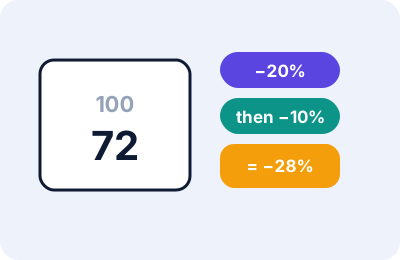
When a shop gives 20% off and then a further 10% off, the second discount applies to the already-reduced price. The combined discount is therefore 28%, not 30%. This tool applies up to four percentage discounts in order and shows the price after each step.
How to use this tool
- Enter the original price.
- Enter each percentage discount in the order the shop applies them.
- If you have a coupon for a fixed amount, enter it and choose whether it comes off before or after the percentages. Terms differ between shops, so check the coupon’s wording.
- Optionally add a tax rate, and read the final price and the table of steps.
Worked examples
- 100 with 20% then 10% off: 100 → 80 → 72. The total saving is 28, which is 28%.
- The same price with a flat coupon of 5 taken off after the percentages: 72 − 5 = 67, a total saving of 33%.
- With the flat coupon taken off first: 100 − 5 = 95 → 76 → 68.40, a saving of 31.60%. The order changes the answer.
- 72 with 10% tax added is 79.20.
The combined discount formula
For discounts d₁ and d₂ in percent, the combined discount is 100 − (100 − d₁) × (100 − d₂) ÷ 100. With 20 and 10 that gives 100 − 80 × 90 ÷ 100 = 28.
Limits
- Shops may cap coupons, exclude some items, or apply codes to the price before other offers. The terms of the offer decide the real result.
- The tool treats discounts as applying to the whole price. Discounts on only some items must be worked out separately.
- Tax is added after the discounts. Some places work differently.
- A coupon cannot take the price below zero.
Troubleshooting
| What you see | Likely reason | What to try |
|---|---|---|
| “Use percentages from 0 to 100” | A discount or tax is outside the range | Correct the value |
| Final price differs from the shop | Different order or exclusions | Check the coupon terms and try the other order |
| Nothing shows | Original price is empty | Enter the price |
Notice
This is a general-purpose calculator for information only. It is not financial, tax, accounting, customs or legal advice. Rates, fees and rules differ between sellers, platforms, carriers and countries, and the figure on a real invoice or carrier quote is what counts.
Practical scenarios
- Many small discounts. Four successive 10% discounts on 100 give 65.61, a total saving of 34.39%, not 40%.
- One big discount against two smaller ones. A single 30% discount gives 70. A 20% discount followed by 10% gives 72. The single discount is better by 2.
- Where the coupon goes. A 50 coupon with 25% off a price of 200 gives 100 if the coupon comes off after the percentage (150 − 50), but 112.50 if it comes off first (150 × 0.75). Check which order the shop uses.
Why the order matters only for fixed coupons
Percentage discounts multiply, and multiplication does not depend on order, so 20% then 10% gives the same price as 10% then 20%. A fixed amount behaves differently: it takes off the same sum whatever the price, so its effect depends on whether it is applied before or after the percentages.
Tips
- Read the coupon terms for exclusions, minimum spend and whether it applies before tax.
- Compare final prices across shops, not the size of the headline discount, using the Unit Price Comparison Calculator when pack sizes differ.
- For single percentages and tax, the Percentage and Discount Calculator is quicker.
Frequently asked questions
Is 20% off plus 10% off the same as 30% off?
No. The combined discount is 28%, because the second applies to the reduced price.
Does the order of discounts matter?
For percentages only, no. With a fixed coupon amount, yes.
Can I stack more than four?
Not in this tool, but you can use the result as a new starting price.