VAT, GST and sales tax calculator
Add tax to a price or work out the price before tax, for any tax rate you enter.
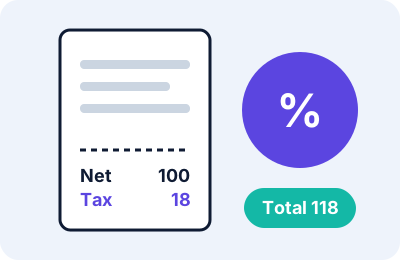
Adding tax and removing tax are different sums
When a shop adds tax, the tax is a percentage of the price before tax. When you only know the price that already includes tax, you cannot just subtract the percentage, because the percentage was applied to a smaller number. You have to divide.
Formulas
| You know | You want | Formula |
|---|---|---|
| Price before tax | Total with tax | price × (1 + rate ÷ 100) |
| Price including tax | Price before tax | price ÷ (1 + rate ÷ 100) |
| Price including tax | Tax inside it | price − price before tax |
How to use this tool
- Choose whether to add tax or remove it.
- Enter the amount and the tax rate for your country or product. The tool does not know local rates.
- Read the result and the working underneath.
Worked examples
- 100 before tax at 18% gives tax 18 and a total of 118.
- 118 including 18% tax gives 100 before tax, with 18 of tax inside.
- 66 including 10% tax gives 60 before tax. Subtracting 10% of 66 would wrongly give 59.40.
Limits
- Rates are entered by you. They are set by tax authorities, differ by country, region and product type, and change. Check the current rate with an official source.
- The tool handles one rate at a time. Items with different rates should be calculated separately.
- Rounding rules differ between shops and tax systems, so a receipt may differ by a small amount.
- Rates from 0 to 100 are accepted.
Troubleshooting
| What you see | Likely reason | What to try |
|---|---|---|
| “Enter an amount and a tax rate” | A box is empty | Fill in both |
| Total differs from the receipt | The seller rounds per item or uses another rate | Trust the receipt and check the rate |
Notice
This is a general-purpose calculator for information only. It is not financial, tax, accounting or legal advice. Prices, rates, fees and rules differ between sellers, platforms and countries.
Practical scenarios
- A price tag that includes tax. An item marked 1,180 that includes 18% tax is 1,000 before tax with 180 of tax inside. Choose “Remove tax” and enter 1180 and 18.
- A price shown before tax. An item of 59.99 with 8.25% tax adds 4.95 of tax for a total of 64.94. Choose “Add tax”.
- Setting a tax-inclusive price. If you want customers to see 118 including 18% tax, your price before tax must be 100.
Working with an invoice
When an invoice has several lines at the same rate, you can add the lines first and apply the rate to the total. Some systems instead calculate and round the tax on every line, which can make the total differ by a few cents or paise. If you are producing invoices for a business, follow the method required by your tax authority or accounting software.
Different rates on one order
Some items, such as food or books, may have a lower rate than others. Calculate each group separately with its own rate, then add the results.
Tips
- Look up the current rate from an official source. Rates change.
- Use “Remove tax” whenever you only know the price with tax included.
- Check how your country treats shipping charges, because in some places tax applies to them too.
Frequently asked questions
Is this for VAT, GST or sales tax?
The arithmetic is the same for all of them. You enter the rate that applies to you.
Why can I not just subtract the percentage?
Because the tax was calculated on the smaller, pre-tax price. Dividing gives the correct pre-tax price.
Does it know my country’s rate?
No. Look up the current rate from an official source.