How to Merge PDF Files Without Changing Page Order
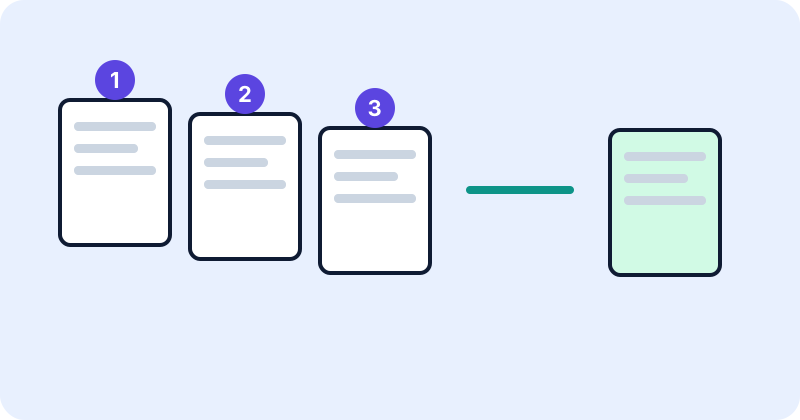
Merging PDFs sounds trivial until the pages come out in the wrong order and you only notice after sending the file. A little preparation makes the result predictable.
Why order goes wrong
The most common cause is sorting by file name. Computers that sort text one character at a time place “10” before “2”, so a file called page10.pdf appears before page2.pdf. Another cause is adding files in the order you clicked them rather than the order you intended.
Name files so they sort correctly
Use leading zeros: 01-cover.pdf, 02-application.pdf, 03-id-copy.pdf … 10-attachments.pdf. Now alphabetical order and numeric order agree.
Step by step
- Gather the files in one folder and rename them with numbers.
- Open the PDF Merger and add the files.
- Check the list on screen. Use the reorder controls and remove anything that should not be there.
- Merge, then download the combined file.
- Verify the result using the checks below.
How to verify the result
Page count. The merged file should have exactly the total of its parts. If three files have 4, 10 and 2 pages, the result must have 16 pages, and the second file’s first page should be page 5.
Spot check. Open the first and last page of each original section. Confirm they appear where you expect.
Page size and orientation. Mixed sizes are allowed in a PDF, but a form that expects uniform pages may complain.
Things that can go wrong
- Encrypted or password-protected files may not merge until the protection is removed by someone allowed to do so.
- Damaged files may fail to open. Try opening them in a PDF reader first.
- Form fields, bookmarks and links inside the originals may not carry over cleanly, depending on the method.
- Large files can strain browser memory on older devices.
After merging
If the merged file is too big for an upload limit, see our guide on compressing PDFs for online uploads. If your source documents are photos, convert them to PDF first.
Common mistakes
- Merging before renaming and trusting alphabetical order.
- Not checking the page count.
- Overwriting the originals. Save the merged file under a new name.
Preparing your source files
A tidy merge starts before you open the tool. Remove blank pages and duplicates from the individual files, check that each file is the correct version, and make sure pages are facing the right way up. It is far easier to fix a sideways scan in the source than after merging. If you need one consistent page size, such as A4 throughout, make the sources match as well.
Naming files so the order is obvious
Besides leading zeros, a short descriptive name helps you spot mistakes in the list: 01-cover-letter.pdf, 02-cv.pdf, 03-certificates.pdf. If dates matter, use the year-month-day form such as 2026-10-30, which sorts correctly as plain text.
What happens with different page sizes
PDF allows pages of different sizes in the same document, so merging an A4 file with a Letter file simply produces pages of both sizes. Most viewers handle this fine, but a printer or an upload system that expects uniform pages might scale or reject them. If that is a concern, produce your source files in one size first.
A short routine to confirm the order
- Add up the page counts of all source files. The tool shows this total before you merge.
- After merging, confirm that the final file has the same page count.
- Open the merged file and jump to the first page of each section. The page number you land on should equal the total pages before it plus one.
- Flip through quickly once to check orientation and that nothing is missing.
Bookmarks, links and forms
A simple merge copies the visible pages. Features that live outside the pages, such as bookmarks, form fields and document-level settings, may not come through, and links that point to other pages may stop working. If you depend on those, check them in the result, or rebuild them in a PDF editor.
After merging
If the merged document is too large for an upload form, the PDF Compressor can help when the document contains JPEG images. Keep the originals, give the merged file a clear name, and delete temporary downloads you no longer need, especially if the documents contain personal information.
Conclusion
Number your files, check the on-screen order, and count the pages afterwards. That takes a minute and prevents most mistakes.
Try the tools
Frequently asked questions
Why did page 10 come before page 2?
File names were sorted as text. Use leading zeros such as 02 and 10.
Does merging change the original files?
No. You get a new file and the originals stay as they are.
Can I merge protected PDFs?
Usually not until protection is removed by an authorised person.
Will bookmarks be kept?
That depends on the method, so check the output if you rely on them.